



Glimpse
Challenge
Busy, exhausted parents struggle to invent new, engaging bedtime stories every night, often relying on passive screen content. That reduces the potential for quality time with children.
Solution
BTS lets parents and children co-create personalized bedtime stories in seconds. Select characters, a moral, and let the AI do the rest. Every story is unique, read together one scene at a time, with illustrated backgrounds and ambient music. Screen time that actually brings them closer.
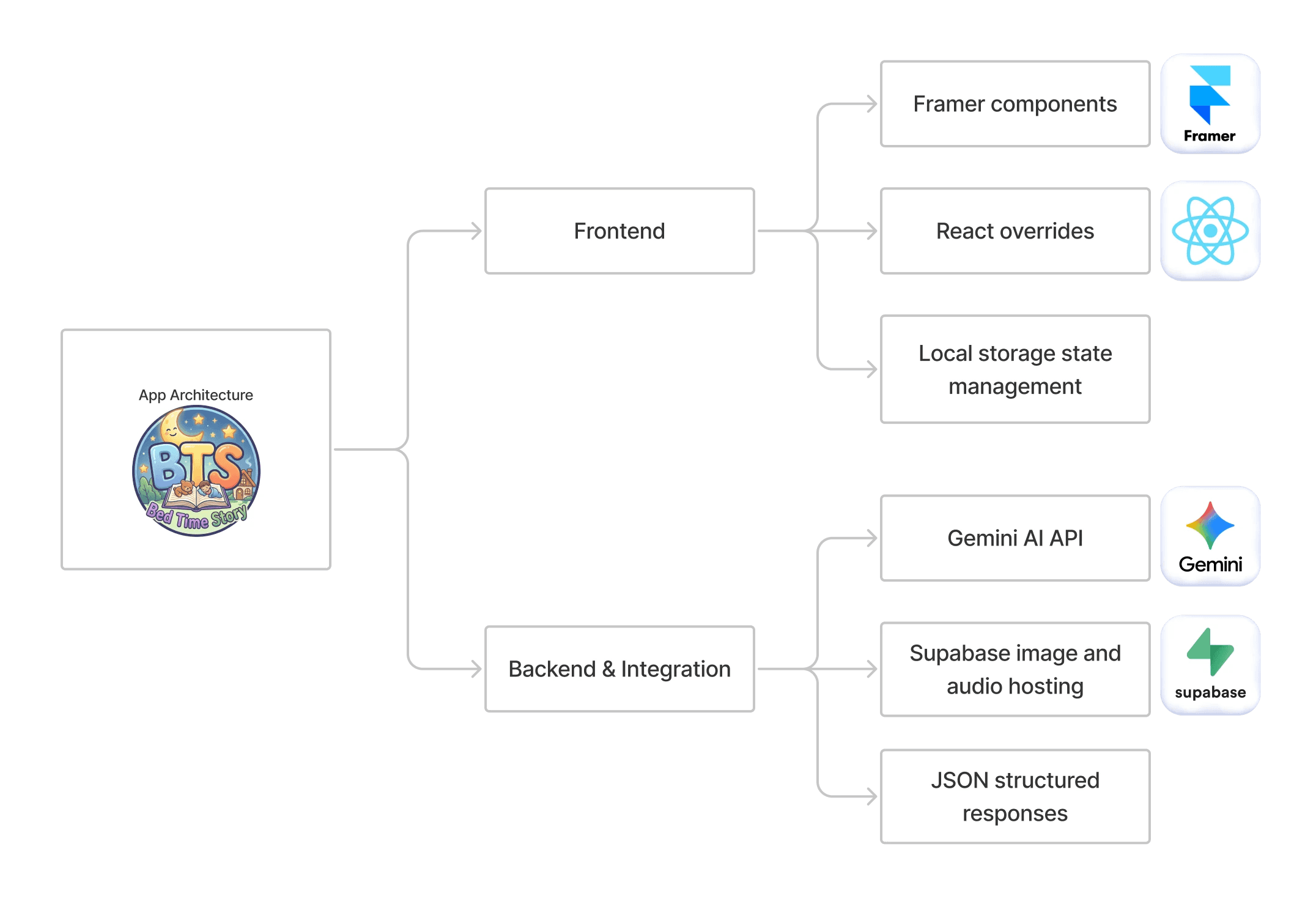
Product Architecture
Screen Flow
The Core Experience Flow The BTS MVP is built on a seamless, three-step co-creation journey designed for a tablet interface:
Character Selection: Children are presented with six beautifully illustrated characters. Through intuitive visual feedback, users select exactly three companions (e.g., Toto the bear, Pip the cat). Unselected characters fade out to confirm the constraint has been met.
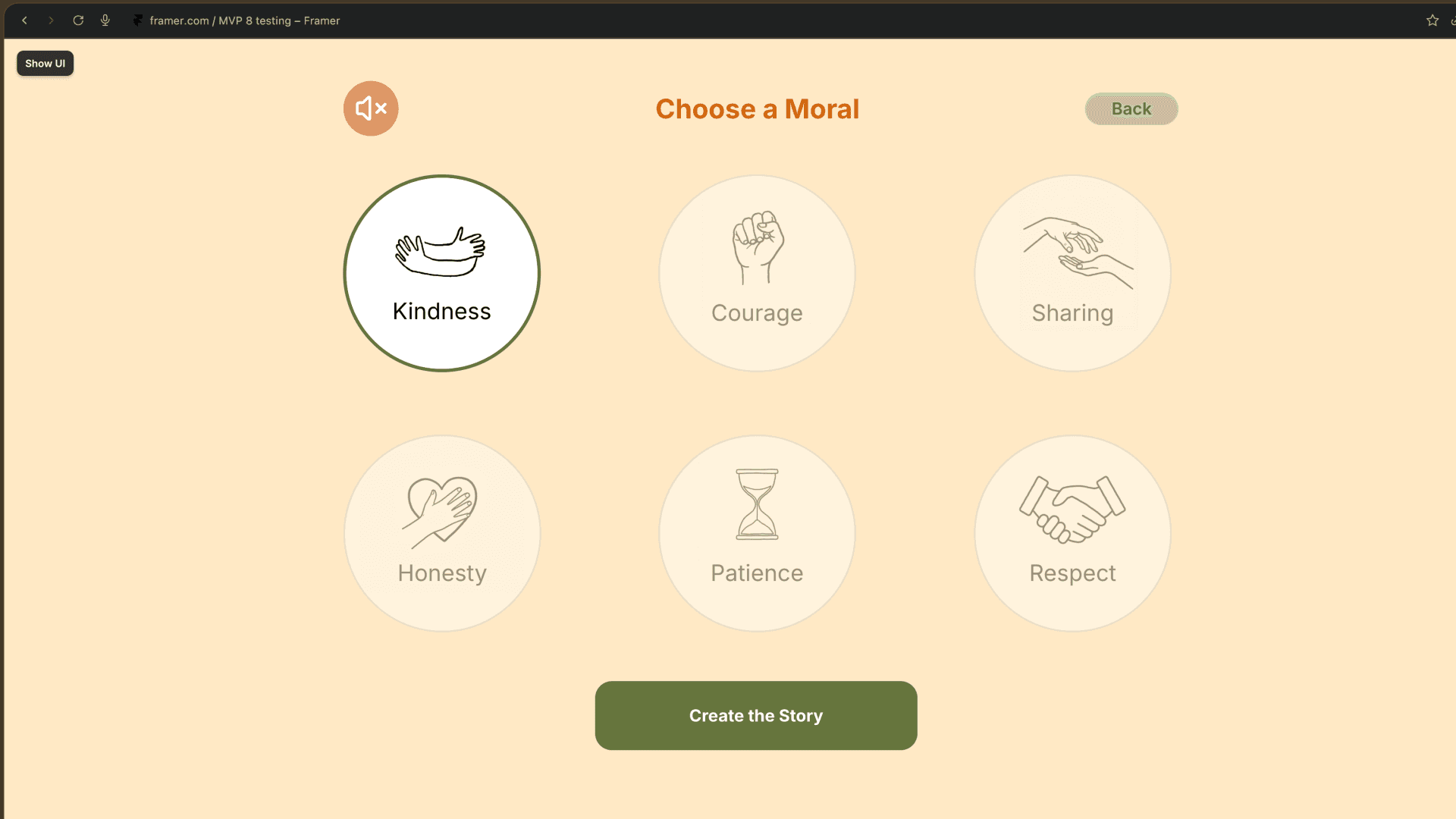
Moral Selection: Users choose one of six foundational morals (e.g., Honesty, Kindness, etc.) to ground the narrative.
The "Brewing" Phase: Upon clicking "Create Story," a custom loading overlay (featuring a spinning cat animation) masks the API latency. The result is a paginated, 5-scene story viewer complete with dynamic background illustrations, character avatars, navigation controls, and ambient audio.


Data Flow


The Data Journey:
The magic of BTS lies in its lightweight data pipeline. Because Framer components operate in isolation, user inputs (character IDs and the chosen moral) are saved to the browser's localStorage. When triggered, these inputs are dynamically injected into an engineered system prompt. This prompt instructs the Gemini 2.5 Flash API to generate exactly five scenes and return them strictly as a valid JSON object containing both the story text and an array of five specific background location keywords (e.g., "forest," "treehouse").
Once Gemini returns the payload, the Framer app parses this JSON, saves it back to localStorage, and triggers a global "window.dispatchEvent(new Event("storage"))". The reading interface catches this event, dynamically rendering the text while simultaneously pre-fetching the matching location background images directly from a public Supabase storage bucket. Once framer has both images and text, it displays both of then in 5 page formate while allowing user to navigate to and fro if needed.
Problems & Pivots
I used Claude and Gemini as my sparring partners to write, debug, and architect the app. This dialogue-driven development allowed me to navigate complex system-level hurdles and make critical product pivots to ensure the MVP's survival.
Hurdle 1: Overcoming 5 Scene Parsing
The Problem: Initially, the app relied on Regex to slice the AI's single text block into five scenes by looking for anchors like "SCENE 1:". This was highly volatile; if the LLM hallucinated markdown like **SCENE 1:**, the entire app would crash.
The Pivot: I collaborated with the AI to refactor the fetch request using responseMimeType: "application/json", forcing Gemini to bypass textual formatting and return strict data arrays.
The Why: Forcing JSON structurally bulletproofed the reading experience, ensuring the live data demo would survive unpredictable LLM behavior.


Hurdle 2: State Management in Framer - a Low-Code Builder


Hurdle 3: The Cost & Latency of Live AI Images


Evolution of MVP
V1 - The Proof of Concept: The project began as a single button on a static page that sent a hardcoded prompt to Gemini to fetch a simple inspirational quote.
V2 to V3 : Evolution to pass data across screens using localStorage, transforming a single wall of AI text into a digestible, paginated 5-scene reading experience.


V4 to V6 : Shifted from 'generic story' to 'interactive co-creation'. Built a character selection interface that enforces a strict three-character limit, using dynamic visual states to guide users. Shifted from 'generic story' to 'interactive co-creation'. I built an intuitive selection interfaces for choosing exactly three characters and a moral lesson, using dynamic visual states. Then build navigation to seamlessly pass user inputs into the API prompt.


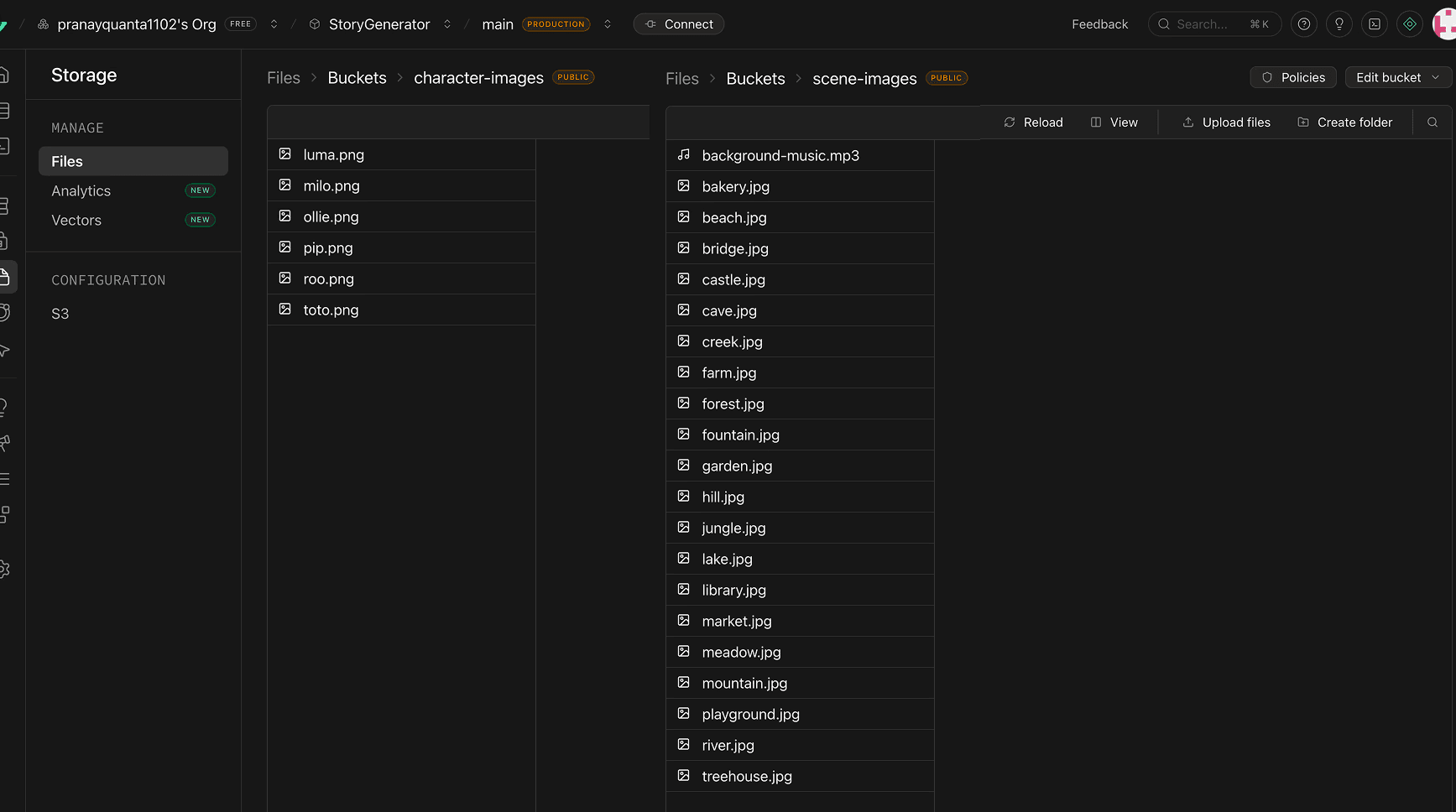
V7 : Executed a critical architectural pivot. To eliminate AI image latency, I integrated a Supabase database, forcing the LLM to dynamically map its story outputs to perfectly match pre-cached background scenes and character avatars.

V8 to V9 : Transitioned into a fully immersive product. I added an ambient background music toggle, engineered strict JSON parsing to prevent text formatting crashes, and built a dedicated closing screen to summarize the moral and restart the loop.


Ending Note
I chose this elective deliberately to move beyond visual design and gain hands-on fluency with MVPs, APIs, databases, and AI integration in a real product context.
I scoped the concept strategically : familiar enough (a children's app) to stay focused, complex enough (live AI + cloud storage + stateful UI) to learn.
The skills like localStorage-as-state, structured JSON prompting, and Supabase architecture are transferable to any AI-powered project.
Going forward, I'll bring this technical and AI literacy into UX roles where I can bridge design decisions and development constraints.

